Showing posts with label Mac. Show all posts

Sunday, 17 May 2026

Keeping your users in the Dark (Mode)!

Media queries in CSS aren't new. I usually use them for mobile-friendly layouts or print views. However, I encountered a blind spot one day when i discovered that I was able to use style Dark Mode in CSS Media Queries!

Upon further research, this has been part of the standard since 2020. Which shows you how long I've had my eye off that particular ball. To illustrate, here's a sample HTML I wrote with a poem generated from ChatGPT.
<!DOCTYPE html>
<html>
  <head>
    <title>Dark Mode test</title>
    <style>
  
    </style>
  </head>

  <body>
    <h1>TESTING DARK MODE</h1>
    <p>
      When daylight fades from glass and screen,<br />
      and white gives way to something keen,<br />
      the world grows soft, the edges thin—<br />
      a quieter place to think within.
    </p>

    <p>
      The glare that once would bite and burn<br />
      now yields to night at every turn,<br />
      where pixels rest and shadows stay<br />
      like thoughts that choose a gentler way.
    </p>

    <p>
      No blinding page, no sterile light,<br />
      just constellations born of night—<br />
      a code of ink, a calmer tone,<br />
      a world that feels more like your own.
    </p>

    <p>
      And in that dark, so still, so wide,<br />
      the noise of day steps back aside—<br />
      you read, you write, you drift, you see<br />
      how brightness isn’t clarity.
    </p>
  </body>
</html>


Example

The majority of the time, the defaults for a site tend towards the Light Mode, like so.
<!DOCTYPE html>
<html>
  <head>
    <title>Dark Mode test</title>
    <style>
      body
      {
       background: rgb(255, 255, 255);
       color: rgb(100, 100, 100);
       font-family: Georgia;
       font-size: 15px;
      }

      h1
      {
        color: rgb(150, 50, 0);
      }

    </style>
  </head>

  <body>
    <h1>TESTING DARK MODE</h1>
    <p>
      When daylight fades from glass and screen,<br />
      and white gives way to something keen,<br />
      the world grows soft, the edges thin—<br />
      a quieter place to think within.
    </p>

    <p>
      The glare that once would bite and burn<br />
      now yields to night at every turn,<br />
      where pixels rest and shadows stay<br />
      like thoughts that choose a gentler way.
    </p>

    <p>
      No blinding page, no sterile light,<br />
      just constellations born of night—<br />
      a code of ink, a calmer tone,<br />
      a world that feels more like your own.
    </p>

    <p>
      And in that dark, so still, so wide,<br />
      the noise of day steps back aside—<br />
      you read, you write, you drift, you see<br />
      how brightness isn’t clarity.
    </p>
  </body>
</html>


This is what that site would look like...


Now in order to specify a Dark Mode, we first specify a CSS Media Query, with Dark.
<style>
  body
  {
    background: rgb(255, 255, 255);
    color: rgb(100, 100, 100);
    font-family: Georgia;
    font-size: 15px;
  }

  h1
  {
    color: rgb(150, 50, 0);
  }

  @media (prefers-color-scheme: dark)
  {

  }

</style>


And then we specify what to override in Dark Mode.
@media (prefers-color-scheme: dark)
{
  body
  {
    background: rgb(0, 0, 0);
    color: rgb(200, 200, 200);
  }

  h1
  {
    color: rgb(255, 200, 50);
  }

}


Emulating Dark Mode in your browser

Right now, I'm on a Mac and this is Chrome.

1. Get into your console. Open the Command Menu by pressing Cmd + Shift + P.

2. Type in "Show Rendering" and press select.

3. Toggle between the modes..

Here's a very simple look. Black background, light grey text.


Who are you in the Dark?

That was fun, I guess. So much we could do with this. I have ideas already. My mind is going... ahem... dark places.

Let there be Light!
T___T

Tuesday, 3 March 2026

Ten Years of GitHub Usage

There was a time I shuttled code between the workplace to home, in the most comically retro manner possible - via email. I would be fiddling with some stuff at home, think it would be interesting to use in a workplace project, and send it to my work email account. And at work, if I didn't feel like leaving my code in the workplace and wanted to continue over the weekend, I would send it to my personal email. As the frequency of this increased, it soon became untenable. I actually only really started a GitHub account almost a full two years after starting this blog.

It's been ten years since. I looked at the heatmaps generated from my activity, and there were some interesting patterns. Really took me back. I realize that just going by the number of commits is a poor metric. Almost as poor as the number of lines of code for measuring code quality. But we've all got to start somewhere...

1. 2016 (46 commits)

At this time, I had just set up my GitHub account the previous year. The line chart of my contributions could be charitably described as "tentative".


Looking at the heatmap of my activity, the word that comes to mind is "sporadic". I used it a couple times a month, each time to commit a bunch of stuff.


Looks pitiful, eh? Basically I was just feeling my way around. Getting comfortable with the interface. There were even months where I had no activity whatsoever.

2. 2017 (96 commits)

The second year wasn't that much better, at least in terms of consistency. There were still a couple months where I failed to register any activity.


The line chart shows a marked improvement over the previous year. Though, to be fair, it's hard to do worse.


However, in the months where I did do shit, there was an uptick. Instead of a couple commits here and there, I was starting to register double digits on a semi-regular basis. This was definitely an improvement. Much of this could be attributed to me coding more ambitious projects. Projects that couldn't just be finished in a couple hours, and had to be periodically saved.

3. 2018 (179 commits)

This was the year one could practically see me shifting into third gear. There were no months where I neglected GitHub. More and more months were registering double digit commits. At the highest point at the end of the year, I even registered 50 commits. Compared to what I do consistently today, this is nothing. But it marked a start of something.


The trend line shows that I was still finding my feet, though some months were better than others. I was struggling for consistency as far as GitHub usage was concerned. This was at least partly due to me being busy studying for my ACTA.


Room for improvement? Definitely. But I was still using GitHub pretty much like a layperson. I used it to store code and not much else. I wasn't using GitHub anywhere close to its full potential.

4. 2019 (138 commits)

Things dropped off slightly in 2019. I suspect a lot of it was due to adjusting to my first year of being married and all. (Yeah, way to blame the wife, dude.)


My GitHub contribution was a jagged line. I would be a GitHub hero for a couple of months, then almost a zero the next month.


And in October, I even registered an entire month without a commit. This might have been due to the impending dominion of COVID-19. Suddenly we were all distracted by this potential life-or-death issue.

But for sure, my use of GitHub was still going strong, just not as strong as the previous year.

5. 2020 (286 commits)

This is where it started to get interesting. Some months, my usage climbed sharply, and plummeted just as quickly the next few months.

If you look at the heatmap below, it almost mirrors the line chart - periods of increased activity punctuated by periods of low activity. If there was any consolation, there were less fluctuations than the previous year.


This was because I was retroactively going through all my Readme files, and reformatting them for better readability. Also, now I was actually establishing proper code commits instead of merely updating via copy-pasting directly into repositories. I had GitHub Desktop open on my Lenovo, and open on my MacBook. This led to a whole lot of increased activity.

6. 2021 (227 commits)

This year, activity dropped off slightly, though my usage was arguably more consistent than it had been the previous year. The line chart shows a jagged line, though less jagged than previous years, with a peak near year end.


The heatmap of my activity was looking more spread out.


I was going through school for Data Analytics, and this affected the time I had for code experimentation. I'm proud to say, though, I managed to dedicate at least this much time.

7. 2022 (651 commits)

This was the year my usage really started to take off. For one, I was really seriously beginning to commit code the way GitHub was meant to be used. The lowest number of commits I tracked was 34 in January, and it never fell below that number for the rest of the year. The highest at one point was 76 in March. The line chart still shows a jagged line, but the minimum has risen dramatically.


The heatmap shows an ever wider spread of contributions over the year. A whole lot more heat. Almost three times the previous year's.


I had also begun to manage the contents of the website on GitHub, under a private repository. This was so I could look up previous versions of files and potentially restore them. I really should have done this a lot sooner. The thing was, my Lenovo was beginning to sputter and I really didn't feel comfortable having all my content stored there. Thus, my hand was forced.

That was pretty much how the number of commits jumped that much.

8. 2023 (872 commits)

The number of commits continued to jump. Compared to the peals and valleys registered in previous years for monthly commits, it was a relatively straight, consistent line.


I had begun to use GitHub to store my blogging drafts. Now this may not sound like much, until one considers how I blog. It starts as a skeleton made out of ideas in point form, and slowly I flesh them out bit by bit. Along the way, I may make revisions - rewording and rearranging stuff. I may only have over 70 blogposts a year, but that's multiple commits per blogpost!

This was partly due to my Lenovo being on its last legs. I began the process of writing drafts in GitHub instead of storing them in text files in my Lenovo, and when my Lenovo finally died in the latter half of 2023, my caution was rewarded.


The end result was, there were only three dates in the entire year where I didn't register a single commit. Compared to last year, the number of commits in a single month ranged from 61 to 80. In the heatmap, you can see that almost the entire map is shades of green.

9. 2024 (991 commits)

Now that I was writing drafts in GitHub full-time, that translated to daily commits. I would get an idea, open up GitHub, and commit it. I registered maybe one or two dates the entire year where I didn't commit anything. Most of the time, though, I was supremely consistent. If you look at the graph, the line was even smoother than the previous year's!


Looking at the chart, my usage started out at 70 plus commits per month, then steadily climbed to the high 80s through the course of the year. I remember at that point trying to rein myself in. I didn't want to end up setting a bar I couldn't commit to long term. The heatmap, as in 2024, shows almost total coverage of shades of green, but a lot more is bright green.


In addition to that, some of my projects were a little complex. They required frequent commits. I could push ten commits in an hour on a ReactJS project. This was also the year I started with NodeJS, and as you can probably tell, this also translated to a lot of commits.


10. 2025 (1007 commits)

The trend continued. I was hitting my stride in my usage of GitHub, and the consistency was really starting to show. Commits per month were now in the 80 plus range, until near the end of the year where I decided to give myself a bit of breathing room. Looking at the trend line, it was almost a straight line except for that year-end dip.


In the case of blogpost drafts, sometimes my updates were just little typo corrections and adding a few sentences here and there. Most bloggers will tell you that the incremental nature of writing a blogpost means that potentially a whole bunch of corrections accompany every one. While this was already the case in previous years, I took it up a few notches.


Here, the heatmap shows an entire year with no gaps. There is obviously higher usage during weekends. Of course, one commit could be as small as correcting a single typo, or be as big as including new functions into the code base. Thus, it can't be a complete representation of how hard I work here. But it's a decent indication.

What a decade!

It's interesting to me how my usage of GitHub evolved through the years. From just another online file system to a means of tracking code changes, and from there expanding to tracking all document changes. Even with code, my usage also changed, with more frequent commits due to establishing CI/CD pipelines.

Most of all, I think it shows my growth as a techie. My usage could still be improved, but at this point I think I'm getting close to a sweet spot. What has your usage been like?

With much commitment,
T___T

Monday, 26 May 2025

Software Review: GitHub Desktop

Around 2020, GitHub sent me a notice that they were upping security standards for their users. I was using SourceTree at the time for Version Control, and I would have to implement a SSH key-pair in order for my existing setup to continue working. Installing and generating SSH just seemed more trouble than I was willing to go to, so I did took what I saw as the Path of Least Resistance - I uninstalled SourceTree and installed GitHub Desktop.


Years have passed, and I've never looked back.

The Premise

GitHub Desktop is exactly what it sounds like - https://github.com but in a desktop app instead of a web browser. Or, to look at it in another way, like doing version control on your machine without using the CLI (which can be problematic if you're typo-prone) or the web browser (which can be clunky).

The Aesthetics

The color scheme is mostly mauve, black and white, with shades of red and green for text highlighting. In Dark Mode, the same colors are used but in different proportions. No complaints here.


The layout is mainly column based, with very little wasted space. From afar it can look cluttered, but after some usage, I'm come to the conclusion that it is actually very optimized.


The Experience

I'm speaking as someone who knows how to push changes and the basic functions of Version Control, but doesn't key in the commands in the CLI enough to qualify as a savant. In this review, you will probably see me use the word "intuitive" a lot when describing the interface, because it is.


Using GitHub Desktop was easier than using the web interface, and definitely easier than using the CLI.

The Interface

The application is comforting in its simplicity. We have a bar at the top for branching and repository switching, and the rest of the window is dedicated to committing and pushing changes. That's for the Changes tab.


The History tab tracks commits and merges.

GitHub Desktop had enough of the common functionality in menu items and buttons, that I didn't have to search that hard for stuff I needed to do.

What I liked

Simple enough to use even for myself, and I wouldn't call myself an advanced user. Basic things like Commit, Push, Pull, Stash et al are readily available and very well-placed. I did not need to refer to any documentation to be able to find these features.

Branching is pretty intuitive as well. Functionality related to that are all here, in one place!


Needless to say, so are Merging and Pull Requests. I don't do those all that often, but on the rare occasion I did, it was carried off without a hitch.

Adding a new repository is intuitive (there's that word again) and just about idiot-proof. I also love that this application doesn't simply assume that I know shit just because I'm using it, and bothers to give me explanatory notes in the interface.


Installation is uncomplicated. I installed this for both Mac and Windows systems, and each time GitHub Desktop ran smooth as silk. It seems ridiculous to name this as a perk, but not when you have multiple laptops using multiple platforms.

Generally, GitHub Desktop doesn't try to be everything. It limits functionality to what's absolutely necessary for operations and nothing more.

What I didn't

Logging in and out wasn't as simple as I thought it should be. The functionality is right here, when you select Settings from the main menu, but I feel like something as fundamental as logging in and out should be right there on every screen instead of being hidden.


You won't see certain dashboards as you would in the web version, but perhaps that's for the best. Still, it would have been nice to have those views available if we really wanted them.

Conclusion

GitHub Desktop is one terrific piece of software if using the CLI is intimidating (or just depressing) to you. You don't even need to master every aspect of it to be able to start using it somewhat effectively. It's a neat little tool, available on multiple platforms and safe to use.

My Rating

9 / 10

Let's Pull for GitHub Desktop!
T___T

Thursday, 8 August 2024

Software Review: XAMPP

My first experience in 2010 configuring PHP on a Windows laptop was a bit of a nightmare. I not only had to run the executable file, I had to grapple with every line from php.ini. And that's not to mention running code and then testing database connections.

So image my relief years later when I discovered XAMPP, a package that would set up an Apache server, just like that.


After all the steps I'd taken to install PHP on that first laptop, not having to do it all over again, over and over, on the subsequent machines that I owned, was palpable. I soon became a big fan.

And today, I'm going to show my appreciation through this software review.

The Premise

XAMPP is basically a package comprising of an Apache server, and optionally, MySQL (recent versions use MariaDB instead). Thus if you need to run PHP or Perl quickly, this is a great solution. In fact, "XAMPP" is an acronym that stands for "Cross-platform Apache MySQL PHP Perl".

You double-click to run the installer. Subsequently, whenever you want to run PHP or Perl code, you start up the server.

The Aesthetics

Meh, it's orange and grey. The whole thing looks basic. Nothing to shout about from an artistic viewpoint, really. But at the same time, there's something about the simplicity of it all that's really attractive.

The Experience

Overall, using XAMPP was a pleasure. Compare this to the hassle of setting up and maintaining your own Apache server? Not even close. Come on.

The Interface

Starting this thing up is easy. Configuring it, also easy.


Gone are the days of hunting for the exact file. XAMPP opens that file up for you and gently warms you to be careful when changing it.

What I liked

XAMPP condenses the horribly complicated process of setting up an Apache server with a database, regardless of whether it's on a Windows or Mac platform, into a few simple steps. What's not to love? It's almost a bit too simple, if I'm being honest. But too simple is usually better than not simple enough.

Sensible conventions. Things like the default deployment path, port number, and such, aren't outlandish. I can get behind "htdocs" as a root path, even if I've been trained to recognize other conventions such as ASP.NET's "wwwroot".

Looks charmingly retro. Now, this could be seen as a negative, but this section is titled "what I liked", so here it is.

What I didn't

It would've been nice if some configurables were changeable through either a desktop or web interface rather than having to open up the config text file. On the other hand, the need to change these things doesn't come up all that often, so...

In the MacOS version, the executable is manager-osx which isn't really intuitive. 


Conclusion

If you need a quick-and-dirty Apache setup tool, who you gonna call? That's right - XAMPP! This tool has been around for the last  couple decades, and hasn't ever really gone out of fashion. That's because XAMPP doesn't pretend to be anything more than just an Apache server setup tool, and in that it's a godsend for PHP and Perl devs.

My Rating

8 / 10

An XAMPP-lary piece of work!
T___T

Saturday, 3 August 2024

The day Microsoft stood still for CrowdStrike

It's unclear exactly when the term "BSOD" entered the public consciousness. More than a decade ago when I was working as desktop support, I knew the term to mean "Blue Screen Of Death", alluding to Microsoft's infamous default screen which warns users of a system crash. Thus, it was a little strange to see the term "BSOD" being bandied around the last couple week.


Suffice to say, the term "BSOD" has found its way into several conversations over the course of the past few weeks as Microsoft systems around the world crashed in a cacophony of azure-colored screens. The outage was caused by cybersecurity vendor CrowdStrike, as a consequence of their security program Falcon pushing a faulty update to the Microsoft branch. Once the update was downloaded and installed by roughly 8 million machines worldwide, it resulted in those systems crashing.

The fix, according to CrowdStrike, was to reboot the machines in Safe Mode, remove the file, and then reboot the machines in Normal Mode. Nothing fancy if you've ever worked in desktop support, but perhaps a little out of the grasp of the average end-user. The desktop support personnel of these affected companies would have been on high alert especially during the initial weekend. 

Damage

It's all very well to say "8 million machines crashed", but it would be far more illuminating to know ˆ those machines were doing and ˆ they were deployed. For the most part, home users who had no compelling reason to install CrowdStrike's Falcon program, were spared the outage. It should also be noted that China, having long moved on from the days where a significant portion of the country was using Windows, was unaffected (to my knowledge thus far) by this outage.

For significantly larger corporations in USA and Canada, large swathes of Europe, and India; however, this was a different story.  Airline queues were jam-packed as systems went down. Healthcare and emergency services were similarly impacted as hospital IT systems using Microsoft 365 crashed. And banks - easily the biggest item on the list. Minutes of lost service could translate to millions of dollars in transactions gone, potentially, and in terms of these outages, we're talking days

This was seen a lot.

The irony here, of course, is that CrowdStrike was employed by these companies for the express purpose of guarding against malicious attacks much like this outage. Though this is one case where we should attribute the cause to incompetence rather than malice.

CrowdStrike's error was a null pointer exception, if the Internet is to be believed. These are fairly common; not really high-level stuff. From testing procedures, deployment practices and just good old due diligence, the number of potential shortfalls in any of these areas could have resulted in the faulty update being pushed.

Silly comments

Social Media has been rife with glee from Apple fans gloating that we should all stop using Microsoft products because this was the greatest outage in history, and that Apple has never been affected to this scale. That's ridiculous when you consider that the conditions that led to these outages - cybersecurity threats, third-party cybersecurity vendors, faulty software updates - would be present in all modern operating systems regardless.

Use Apple products
instead!

Covert to MacOS to avoid outages? Absurd.

Such deranged comments are ultimately the province of mere fanboys allowing emotion rather than logic to guide the words that come out of their mouths. I'm inclined to be forgiving here; I'd be less understanding if those words came from actual tech professionals.

Finally...

It's early days yet. The fallout is still being felt around the world, though much of the initial damage has been, hopefully, resolved. Still, this is not something we'll all be forgetting anytime soon.

Over and outage,
T___T

Friday, 3 May 2024

A Software Developer's Vacation in Penang

His Teochewness goes on vacation again!

This time, instead of the bustling Malaysian city of Kuala Lumpur, I visited some Clubhouse friends in the little city of George Town, Penang. How did this come to pass?

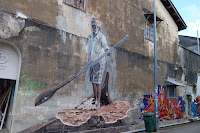
Street mural
in George Town.

Well, it all began when my sister-in-law came over to stay for the month of April. She shared the bed with my wife, while I crashed on the couch. On many levels, this was inconvenient. Even if you take away the fact that it was one of the hottest spells in Singapore weather, I work from home the majority of the time, and my work area just happens to be right beside the couch - which results in removing that one last (albeit artificial) barrier between personal and work life.

That's when I figured - hey, if I'm going to be sleeping on a couch, I might as well be sleeping in a hotel room. In another country. That's when I made the arrangements, bought the ticket and booked the hotel room. It happened to be a pretty busy time at work, but my boss was OK with it as long as I brought my MacBook along and remained contactable.

I would be going to George Town, a historic site in Penang. I envisioned myself taking long walks in the day and venturing into multiple museums and art galleries. Mrs TeochewThunder would probably hate this shit, but whatevs, she wasn't coming along. I could concentrate entirely on what I found fun, for a change.

April 14th, 2024

The day started off pretty well. I made it to Changi Airport early, had a nice breakfast and even found time to write some code I'd been tinkering with while waiting for my flight. The weather was blazing like Singapore's, just the way I like it.

I arrived at Penang International Airport ahead of schedule and soon after, I was picked up by a sweaty but dazzling young lady (she was pretty hot, in all senses of the word) in her car, and we greeted each other like friends who had only known each other online for the past couple years.

First meal at a
roadside coffeeshop.


Astonishingly fancy coffee.

After checking in to the run-down dodgy-looking hotel I'd picked out for my stay (the less said about this, the better), we headed off for some street food, where I got my mind blown by the Ice Yuen Yeung (coffee and tea, mixed) that turned out to be an ultra-fancy deconstruction of what I expected, served with a spiral glass stirrer. Holy shit.

Trust me, the other
stuff was weirder.

She then took me to George Town's Hin Bus Depot to attend what had to be the most macabre art exhibition I ever laid eyes on. The paintings looked like entries in some serial killer's fantasy. 

Bizarre.

At the same venue was a sculpture exhibition which was a nightmarish hellscape of squished body parts rendered in clay. Was I disturbed? That's an understatement. Was I fascinated? Also an understatement.

Something relatively normal.

We capped this off by attending a third exhibition which looked somewhat normal, and also easier on the eyes.

Nyonya dinner.

Dinner was at a Nyonya Restaurant where her mother joined us and we absolutely demolished a whole bunch of stuff. Her mom was excellent company, by the way. I took great pleasure in showing off the pictures of my papier-mache tree to her.

The night went well. The hotel itself wasn't much to shout about, but for the first time in weeks, I got to sleep in a proper bed!

April 15th, 2024

Got up bright and early. George Town exploration awaited! The sun was blazing overhead like it had something against humanity. No worse than the Singapore heat I'd left behind yesterday. In other words, business as usual for me. It was easy to tell that I was a tourist, despite my skin color fitting right in with the demographic - I was grinning like an idiot in the oppressive heat and obviously happy to be here.

Interior was
great, though.

I got some  breakfast at this place called English Hainan. Name sounded promising, but the Full English Breakfast I got was a bit of a disappointment. After breakfast, I wandered around, looking at various street art and the architecture of the buildings. It was like a replica of Singapore's Chinatown and Bugis Street, expanded by ten times to an entire district. Shophouses and temples abounded. I was getting a sense of how my grandparents lived in Singapore.

Food museum.

Pretty soon, I came upon this building, and decided that this was too good to pass up. A Food Museum! I've always loved miniature art, and this museum had it in spades. The amount of detail was incredible.

Great detail.


This was so interesting.

I could have spent another hour in here, but it was the first full day in George Town and there was plenty more to see. Further down the street was another tourist attraction advertised on Google Maps - Fort Cornwallis.

Gunpowder chamber.

Boom!

This was a gigantic bore, to be honest. It was nice and quiet, but this only served to highlight how few people seemed to really want to spend their time here.

Should've saved
my money.

A quick lunch later, I checked out an exhibition near the hotel that promised "Trick Art". This turned out to be a waste of time, possibly a bigger one than Fort Cornwallis, which is no mean feat. You've been warned.

Ssssss!

There was a pretty cool painting of a snake in a tunnel, but it was cool only compared to the rest of the uninspiring and insipid stuff in there. If anyone from the Trick Art Museum is reading this and feels triggered, tough titty. Do better.

That's a spread.

Dinner was great, though. I bought my friend and her mom a nice quiet seafood dinner in a pretty retro restaurant and had the place almost entirely to ourselves.

More food!

After that, we adjourned to another roadside joint where my friend introduced me to Penang Hokkien Mee and their local Otak-Otak. Mmmm!

Checking my email and work notifications that night, thankfully nothing seemed amiss. Would have been nicer if I didn't need to check, but oh well.

April 16th, 2024

More walking abounded! I got up bright and early, and had breakfast at one of those little roadside food courts.

Street art.

I especially liked
this one.

Then I made my way to Armenian Street, where a lot of the street art and art installations were congregated. Here, footfall was noticeably heavier as I was sharing the space with tourists and trishaw riders.

Why did I ever
go in there?!

One good exhibit.

Somewhere along the way, against my better judgement, I paid for a ticket for an entry into the Upside Down Museum. Much like the Trick Art Museum, this turned out to be pretty much a waste of time, with only a couple exhibits worth looking at. No more gimmick museums!
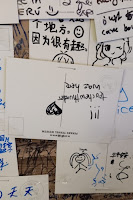
TeochewThunder
waz here.

I like to think I was a good sport about it, though. I paid for coffee and a postcard, and added my (fake) complimentary review to all the other (hopefully) genuine reviews stuck on their wall. I even stuck mine upside down! (hur hur) Might as well spread the love. Why should I be the only unfortunate soul to get suckered into parting with his money?

What followed was a slow saunter westwards to meet a couple Clubhouse friends at a cafe. As it turned out, I had severely overestimated the distance on Google Maps, and got there a full hour earlier than expected.

Much better.

It was lunch-time, so I stopped at White Chapel Cafe, and ordered their Full English Breakfast... for lunch. Decadent, eh?

A couple hours later, I met my friends at the other cafe. I remember the place being nice, but at this point I'd been in so many cafes that they were all starting to look the same.

The really exciting part of the day came when one of them gave me a ride to Komtar Tower, the tallest building in Penang. There, I could get to the topmost floor and view Penang from above. There was also a whole host of attractions in the theme park.

View was amazing...
and terrifying.

Up I went to the 65th storey, paying about RM 80 for the experience. This would include a trip outside of the perimeter of the top, tethered only by a safety harness. Honestly, just looking at the view from the glass floor made my stomach lurch. But I'd already paid, so what the hell...

...except that at this very moment, the ugly side of being the only software dev in the department kicked in. People from work called to tell me that one of our sites was down. And I just happened to be 65 storeys above ground, with my laptop in my hotel room. I made some calls and got people to patch some stuff until I could get to it proper. By the time I turned my attention back to the breathtaking view, the moment was well and truly lost. I went back down, and couldn't even muster up the enthusiasm to try out the attractions. Although, after having already been taken for a ride by Trick Art and Upside Down Museum, I wasn't really up for any more overpriced gimmicks anyway.

Tan Jetty, viewed
from the side.

The sun was going down in two hours. I was heading back to the hotel on foot, but this looked like a good time to visit the Clan Jetties of George Town. The air was thick with flies, but I made it out to the rickety planks that made up the Tan Jetty.

This was surreal, yo.

There was a little hut and what looked like an incense pot midway, then the rest pf the jetty led out to sea. It was surreal. I was on a flimsy piece of wood surrounded by the waves, and the odds of any stuff I had on me falling into the water (me included) were more than decent. With the evening sea breeze howling in my ear, even.

So this was how the Tans lived, in Penang, all those decades ago. My ancestral cousins.

Delicious, but
almost couldn't
finish it.

I didn't bother with the Chew or Lee Jetties. It was more of the same, and I had least shared a family name with the Tans. Instead, I headed back to the hotel and had a nice (and extremely filling) dinner at the Peranakan fusion restaurant nearby.

Cozy.

And that was it for the day. Somewhere before midnight, I got restless and took a little stroll around Little India and ended up at this cafe where the ultra-friendly staff served me cake and juice.

April 17th, 2024

The day started off with breakfast at a humble cofeeshop where I ordered a standard breakfast set - two soft-boiled eggs, kaya toast and coffee. To my pleasant and everlasting surprise, they not only broke the eggs for me and put them in a nice shallow cup, they even brought everything to my table! Well, damn.

Straits & Oriental Museum.

A trip to Penang Chinatown brought me to a Porcelain Museum. In contrast to the last two, this one was actually pretty educational.

Interesting pictures.

I totally didn't get
this one.

Just across the street was a small art gallery which seemed to be beckoning me. Not being one to resist a siren call like that, I ventured in and took some pictures.

Now, I'd been constantly walking all around George Town for the last few days, and the inner linings of my bootleg Converse shoes were worn out,. I thought it was time for a massage, so off I popped into this place called Revive Reflexology. I opted for the Thai package, hoping that these were "serious" masseurs. Unfortunately for me, the one I got turned out to be entirely too serious. I had underestimated the strain all that walking had put on my aging legs, and when she grasped hold of the ligament in my inner thigh near the left knee, I'm not ashamed to admit I screamed like a little bitch. And then she started on the right leg.

Suffice to say, I had walked in, and now I was crawling out. I took a lunch break at a nearby bar restaurant because I just didn't feel up to walking around to find something more interesting.
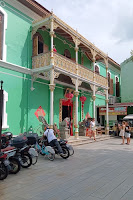
An elaborate
gateway.

My next stop was at the Pinang Peranakan Mansion which was nearby the hotel. I had passed by a couple times along with a whole host of big-ass Chinese temples. Through the past few days, I had come to realize that there were a lot of temples in George Town and I would need more than a couple days to cover them all, if I were even so inclined. But... there was only one Peranakan Mansion.

Check this out...

What followed was a feast for the eyes. Did I say feast? It was more I was pigging out on a visual buffet. It was a visual overload. There was so much detail in everything - elaborate carvings, designs, architectural features, old furniture and so on. Everything had a historical explanation.

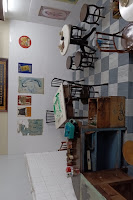
My second favorite place was probably the kitchen, where I could pretty much imagine how a meal was cooked back in the day. But my absolute favorite was their Ancestral Hall. There was just so much going on there I can;t even begin to describe it. Check out the pictures!

Not quite a mansion, but
still interesting.

My next stop was, again, right next to the hotel where I visited The House of Yeap Chor Ee. Yeap was a Chinese immigrant who plied his trade in Penang as a barber (there were samples of his tools in the museum, quite a visual treat) and ended up being a very wealthy man despite not knowing how to read or write. Even his signature was written wrongly.

I was the only visitor in the place, and the guide obligingly took me on a tour of all three floors, explaining the history behind each exhibit. The tour cost RM 20. She didn't have change for my RM 50 bill, but I told her to keep it. It sounds like a sizeable tip, but honestly, after wasting time and money on Trick Art and Upside Down Museum, this was more than worth it.

The Last Supper... in Penang.

Later in the evening, I met up with a couple friends for a supper of some chicken wings, oyster omelette, fried dumplings and milo. And that was a wrap for my final night in Penang.

April 18th, 2024

Bittergourd with duck egg.

It was my final day here in George Town. I had some breakfast, wandered around, and checked out early. One of my friends from last night bought me lunch, and then dropped me off at the airport, where I headed home to Singapore... and back to the couch.

So long, Penang!

My little vacation there went pretty much as expected. A lot of walking in the hot weather, museums and art galleries. And food. And having to respond to work emergencies at the most awkward times possible. But hey, at least I got to sleep in a proper bed. And work on Python at night, along with some of my other little pet projects.

I suspect I've barely scratched the surface, though. At some point, I'll be back.

Your travelling dev,
T___T